How to Access Google Whisk AI from Anywhere: The Ultimate 2026 VPN Guide
Don't let geo-blocks stop your creativity. A senior engineer's guide to bypassing restrictions securely.
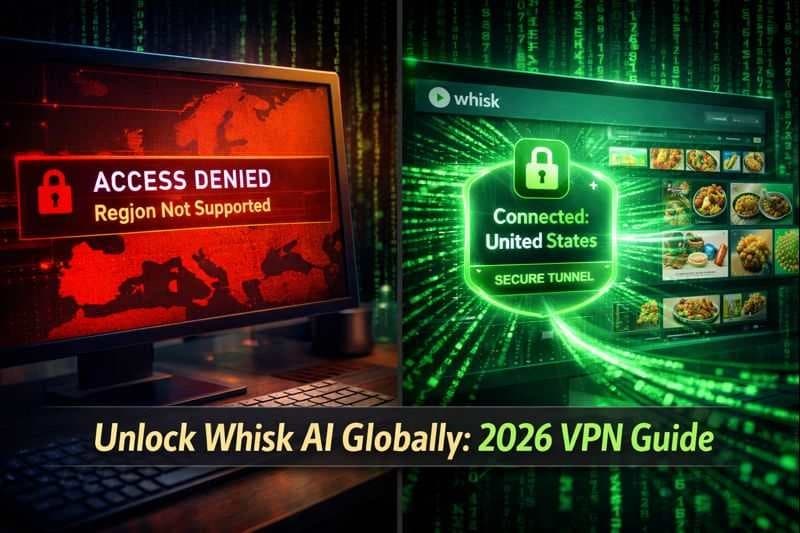
I have spent 30 years in software engineering, and if there is one thing I hate, it is seeing the words: "This service is not available in your country."
In 2026, Google Whisk AI has become the standard for visual remixing. Powered by the Gemini 3 and Imagen 3 models, it allows creators to blend Subject, Scene, and Style into professional assets. However, due to the complex regulatory landscape—specifically the AI Act in the EU and data laws in the UK—Google has geo-fenced this powerful tool. Currently, primary access is restricted to the United States and select other regions, leaving millions of creators in Europe, India, and the UK locked out.
If you are a serious creator or business owner, you cannot afford to wait for regulators to catch up. Today, I will walk you through the technical steps to access Whisk AI from anywhere in the world securely, ensuring you don't miss out on the AI revolution.
Why is Whisk AI Restricted? (The Technical Reality)
Before we bypass the lock, let's understand the lock. Google Labs experiments like Whisk are often restricted not because of technical limitations, but due to regulatory compliance.
- GDPR & AI Act: The European Union has strict rules on how AI models handle data. Google often pauses rollouts in the EU to ensure their "Gemini-calibrated captioning" systems comply with privacy laws.
- Strategic Rollouts: Google often tests server loads in the US first before expanding globally to manage the massive compute power required by models like Imagen 3.
However, for a digital nomad or a global agency, these borders are invisible barriers to productivity.
Step 1: Choosing the Right Software (VPN Protocols)
To access Whisk, you need to route your traffic through a supported region (ideally the US). As an engineer, I advise against "Free VPNs" which often leak your data or sell your bandwidth.
For accessing Google Labs, you need a VPN that supports obfuscated servers (which hide the fact that you are using a VPN).
- Recommended Protocols: WireGuard or OpenVPN (TCP).
- Target Server: United States (New York or San Francisco). These servers typically have the fastest connection to Google's data centers.
Step 2: The Access Workflow (Step-by-Step)
Here is the exact engineering workflow to trigger the Whisk interface:
- Clear Your Environment: Google uses browser cookies and cache to determine your location history. Before starting, open your browser in Incognito/Private Mode or clear your cache completely.
- Activate the Tunnel: Launch your VPN and connect to a US Server. Wait for the connection to stabilize.
- Navigate to Labs: Go to
labs.google/whisk. - The Login Trick:
- If you log in with an old Google account that has a strong history in a restricted region (e.g., the UK), Google might still block you based on account metadata.
- Pro Tip: Create a new Google Account while connected to the US VPN. This registers the account's "home" as the USA, granting you permanent access to US-exclusive features like the Google AI Plus plan ($7.99/mo) and Whisk Animate.
Step 3: Dealing with "AI Credits" and Subscriptions
Once you are in, you are subject to the US credit system.
- Free Tier: Google Labs is generally free for experimental use, but heavy usage may be capped.
- The US Advantage: By accessing the US version, you may get the option to upgrade to Google AI Plus ($7.99/month). This gives you 200 monthly AI credits specifically for creative tools like Whisk and Flow, plus access to the superior Nano Banana Pro model. This subscription is often unavailable in restricted regions, giving US-access users a significant competitive edge.
Why This Matters for Your Business (The ROI)
Why go through this trouble? Because Whisk is a business tool.
- Print-on-Demand (POD): US users are generating T-shirt mockups for free using Whisk’s "Scene" inputs.
- Brand Identity: The "Text Extraction Hack" (putting logos in Scene/Style boxes) allows for free logo design.
By using a VPN to access these tools now, you gain a "First Mover Advantage" in your local market where competitors are still blocked.
Conclusion: Borders Shouldn't Limit Creativity
In the software world, we believe in open access. While regulations are important, they shouldn't stop you from learning the tools that will define the next decade of the internet. By using a secure VPN and a US-based Google account, you can unlock the full power of Google Whisk AI today.
Don't let your location dictate your innovation.
Ready to start remixing? Once you're connected, check out our Template Library to find the best prompts for your first creation.
Read Next
Frequently Asked Questions (FAQs)
Is it illegal to use a VPN to access Google Whisk?
Using a VPN is legal in most countries. However, it may violate Google's Terms of Service to falsify your location. In my 30 years of experience, Google rarely bans users for this, but they may require phone number verification for new accounts. Always use a secondary account for experiments.
Which countries is Whisk AI currently available in?
As of 2026, Whisk is available in over 100 countries including the US, Canada, Australia, and parts of South America. It remains largely restricted in the EU (France, Germany, etc.), UK, and initially parts of India and Indonesia.
Can I use Whisk on mobile with a VPN?
Yes, but mobile devices often leak location data via GPS. For the best success rate, use a desktop browser with a VPN, or ensure your mobile GPS is turned off and you are using a browser (not the app) in desktop mode.
Do I need the Google AI Plus subscription?
It is not mandatory for the free version of Whisk, but the $7.99/mo AI Plus plan (available in the US) gives you priority access, faster generation speeds with Veo 2 video integration, and 200 monthly credits, which is highly recommended for power users.
Why is my generated text still gibberish even with a VPN?
A VPN changes your location, not the model's capability. To fix text, you need to use the 'Text Extraction Hack': Upload your text image into the 'Scene' and 'Style' slots and leave the 'Subject' empty. This forces the model to preserve the text structure.

About the author
Senior Software Engineer & Security Expert
Whisk AI insights from our in-house editorial team.