8 Best Flow & Whisk Alternatives in 2026
Whisk AI is now Google Flow! Compare the 8 best AI alternatives in 2026 for image and video generation. Free and premium tools reviewed
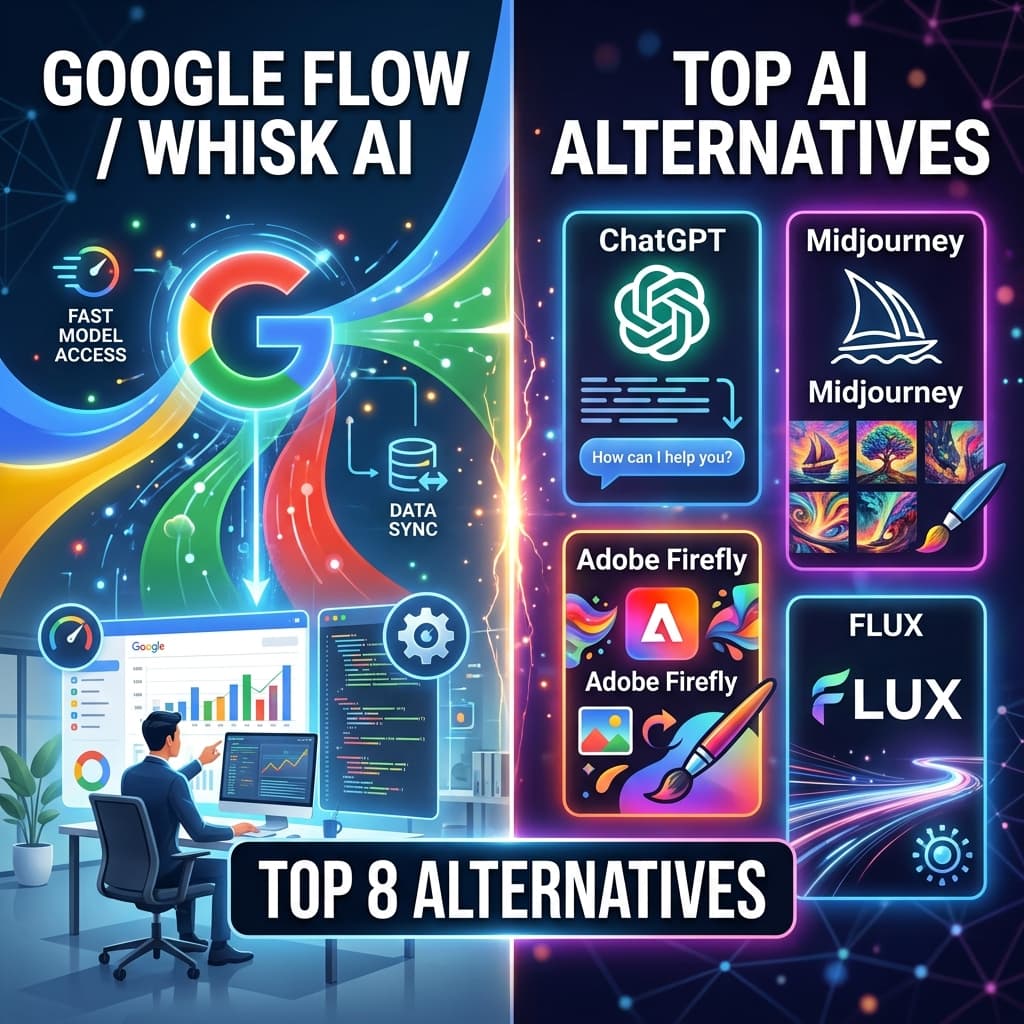
The digital creative landscape experienced a seismic paradigm shift on February 25, 2026. Google quietly but decisively merged three of its most powerful experimental tools—Whisk AI (the visual remixer), ImageFX, and VideoFX—into a single, unified creative studio known as Google Flow.
With over 1.5 billion images and videos already generated within Flow since its launch, the era of jumping between disconnected AI tools is officially over. The original standalone Whisk app is scheduled to be fully retired on April 30, 2026, prompting millions of creators to migrate their assets into Flow's new intelligent Asset Grid.
But Flow isn't the only powerhouse in town. Depending on your needs—whether it’s hyper-realistic commercial rendering, unrestricted social media assets, or bulk video generation—you might need a specialized tool. In this massive 2026 masterclass guide, we will break down the Top 8 Whisk AI Alternatives, reveal the secret 6-component prompting formula for Nano Banana 2, and show you exactly how to automate your creative workflow.
Before we dive in, a quick update on WhiskAITemplate.com: We have fully evolved with the Google ecosystem! We now offer expert-curated "Ingredients-to-Video" templates, multi-image reference blueprints for Nano Banana Pro, and cinematic Veo 3.1 prompt structures. You can browse our free library of over 1,000+ visual workflows to completely bypass prompt fatigue.
Part 1: The Top 8 Whisk AI & Google Flow Alternatives in 2026
The generative AI market has fragmented into specialized engines. Here is the definitive ranking of the best alternatives based on production speed, text accuracy, and creative control.
1. Google Flow (Nano Banana Pro & Veo 3.1) – The Direct Successor
If you loved Whisk's "Subject + Scene + Style" drag-and-drop remixing, Google Flow is your ultimate destination. It upgrades the entire experience by integrating Google DeepMind's most formidable models.
- The Image Engine: Powered by Nano Banana Pro (Gemini 3.1 Flash Image), which boasts an unprecedented 94% accuracy rate for rendering legible text in images.
- Multi-Image Fusion: You can now upload up to 14 reference images simultaneously (e.g., 6 objects, 5 people) to guarantee 100% brand and character consistency.
- The Video Engine: Veo 3.1 allows you to seamlessly turn those static images into cinematic 1080p and 4K videos, complete with natively synced background music and lip-synced character dialogue.
- Pricing: Free tier available (100 initial credits); Google AI Pro is $19.99/month for 1,000 credits and 2TB storage.
2. FLUX.2 – Best for Hyper-Realism & Technical Control
Developed by Black Forest Labs, FLUX.2 has dominated the professional agency landscape in 2026.
- Why it rivals Whisk: FLUX.2 is widely considered the gold standard for photorealism and anatomical accuracy. For marketing agencies that need assets indistinguishable from high-end photography, FLUX.2 is non-negotiable.
- Capabilities: It generates 4K assets in under 3 seconds and handles complex spatial instructions flawlessly.
- Pricing: FLUX.2 Schnell is free for local use; API access costs roughly $0.014 per megapixel.
3. GPT-Image 1.5 (ChatGPT) – Best for Conversational Editing
OpenAI has consolidated its lead in conversational AI with GPT-Image 1.5.
- Why it rivals Whisk: Unlike older models that force you to rewrite your entire prompt to fix one mistake, this model actually reasons through your requests. You can generate an image, and then simply tell the chat, "Change the coffee cup to a glass of iced tea," and it maintains perfect spatial logic with 95% accuracy.
- Pricing: Included with ChatGPT Plus at $20/month.
4. Midjourney v7 – Best for Pure Artistic Soul
Midjourney v7 remains the undisputed gold standard for pure aesthetic quality, fantasy, and concept art.
- Why it rivals Whisk: Midjourney recently introduced advanced "Vibe Control" parameters and Style References that mimic Whisk’s style-blending capabilities, but with a breathtaking, human-like artistic output. It is perfect for mood-boarding and ideation.
- Pricing: Basic Plan starts at $10/month.
5. VidAU.ai – Best for High-Volume Commercial Video Ads
While Google Flow is incredible for one-off cinematic storytelling, it lacks bulk video generation capabilities.
- Why it rivals Whisk/Flow: If you are an e-commerce brand or marketing agency, VidAU.ai allows you to generate up to 50 videos in a single batch session. It features over 860+ AI avatars in 140+ languages and can automatically turn a product URL into a fully optimized video ad with performance analytics tracking.
6. Adobe Firefly 5 – Best for Enterprise Legal Safety
For large corporate marketing departments, Adobe Firefly 5 is the ultimate safe haven.
- Why it rivals Whisk: Its primary value proposition is commercial indemnity. Because Firefly 5 is trained exclusively on Adobe Stock and public domain content, it offers 100% legal security. Its "Style Match" feature works almost exactly like Whisk’s style reference inputs, and it integrates natively into Photoshop and Illustrator.
- Pricing: Included in Creative Cloud All Apps, or standalone from $9.99/month.
7. Grok-3 (xAI) – Best for Real-Time Social Media Virality
Grok-3 has become the go-to tool for social media managers and growth hackers.
- Why it rivals Whisk: Unlike highly sanitized models, Grok-3 offers a raw, direct, and unfiltered approach to image and video generation. It leverages real-time internet trends to generate modern, high-contrast visuals perfectly sized for platforms like X.
- Pricing: Included with X Premium+ at approximately $16/month.
8. Vheer AI – Best Free & Unlimited Creative Suite
In a world where premium AI tools are locked behind expensive subscriptions, Vheer AI has emerged as a vital sanctuary for independent creators.
- Why it rivals Whisk: Vheer AI offers 100% free, unlimited, watermark-free access right from your browser. It is particularly renowned for its Pixar and Dreamworks-style 3D models, producing vibrant characters that rival premium studio outputs. It also features an "Intelligent Image Describer" that reverse-engineers the prompts of images you love.
Part 2: Mastering the Nano Banana Pro Engine (The 6-Component Formula)
Most creators use Google's image models completely wrong. They throw a random sentence at the AI and hope for the best. To get top 10% agency-quality results from Flow and Nano Banana Pro, professional prompt engineers use a strict 6-Component Prompting Formula.
If you want to stop burning through your monthly AI credits, your text prompts must follow this exact sequence:
- Subject: Be hyper-specific. Don't write "a woman." Write: "A woman in her early 30s with shoulder-length brown hair pulled back in a loose ponytail, wearing a yellow polka-dot blouse."
- Action: Create a narrative. Static portraits are boring. Write: "Standing confidently in front of a modern house entrance, holding an iced matcha latte."
- Environment: Set the context. "In a sunlit Beverly Hills neighborhood with a manicured lawn and palm trees visible against a clear blue sky."
- Art Style: Define the aesthetic direction. "Editorial fashion photography."
- Lighting: Specify mood and direction. "Illuminated by soft afternoon sunlight from camera left."
- Details: Add the finishing technical polish. "Shot on an 85mm lens with a shallow depth of field and slight film grain."
The Perfect Prompt Example:
"A woman in her early 30s with shoulder-length brown hair wearing a yellow polka-dot blouse (Subject), holding an iced matcha latte (Action), in a sunlit Beverly Hills neighborhood (Environment). Editorial fashion photography (Art Style), soft afternoon sunlight from camera left (Lighting), shot on an 85mm lens with shallow depth of field (Details)."
Part 3: The 8-Reference Image System for 100% Brand Consistency
The biggest problem with AI art has always been character and product consistency. If a client wants five variations of a product in different scenes, older models would shift the logo or change the product's proportions in every generation.
Google Flow's Nano Banana Pro completely solves this via its Multi-Image Composition architecture.
How to Execute the Workflow:
- Upload References: Upload up to 8 reference images simultaneously. Include your logo, brand color palette, and product shots from multiple angles.
- Lock the Identity: The AI builds a deep semantic understanding of your product's specific geometry and branding.
- Change the Environment: You can now prompt the AI: "The exact skincare product from the reference images, placed on a modern white bathroom countertop next to a succulent plant. Bright clean lighting."
- Result: The product remains pixel-perfect, the typography remains accurate, but the world around it changes entirely. This is how global brands scale content production without hiring expensive photography studios.
Part 4: The Veo 3.1 Video Revolution (Frames-to-Video)
Google Flow isn't just about images; it is a cinematic video production studio. The integration of Veo 3.1 allows for stunning 1080p and 4K video outputs with native audio.
The "Frames-to-Video" Workflow
Instead of relying purely on text-to-video (which can be unpredictable), professionals use the "Frames-to-Video" or "Ingredients-to-Video" method.
- Step 1: Generate your perfect, high-resolution starting image using Nano Banana Pro.
- Step 2: Upload this image into Flow as a "Frame" or "Ingredient".
- Step 3: Use Veo 3.1 camera controls. Prompt for specific cinematic movements like "Slow dolly-in" or "Orbit around the subject".
- Step 4: Add Native Audio. In the prompt box, you can specify background sounds and character dialogue: "Dialogue: 'Mission day 72, receiving a signal.' Background: Low atmospheric cinematic synth." Veo 3.1 will automatically lip-sync your character to the generated dialogue.
Part 5: Automating the Process (Chrome Extensions & AI Agents)
For marketing agencies and high-volume content creators, generating images one by one through a web interface is highly inefficient.
1. Auto Whisk (Chrome Extension)
The developer community has introduced powerful tools like the Auto Whisk Chrome Extension. This extension plugs directly into your browser and allows you to:
- Import a .txt file containing hundreds of different prompts.
- Automate batch generation without manually clicking or waiting.
- Utilize "Auto-Download," which saves high-resolution images to your local drive and smartly names the files based on the prompt content.
2. Minimax Agent Automation
To scale content even faster, creators pair visual tools with Minimax Agent Automation. Minimax handles the logical, structured, and strategic side of content production.
- You give Minimax a campaign goal. It analyzes your landing pages, writes highly optimized captions, and generates hundreds of structured prompt ideas.
- You feed those prompts into your Auto Whisk or Flow setup.
- The result is a fully automated content factory that pairs world-class copywriting with studio-grade visuals in minutes.
Part 6: Generative Engine Optimization (GEO) & AI Search Visibility
If you are a creator sharing your own AI templates online, you need to understand how SEO has fundamentally changed in 2026. Traditional Google Search is being rapidly replaced by AI Overviews (AIO), ChatGPT Search, and Perplexity. Over 58% of Google searches now result in "Zero-Clicks," meaning users read the AI summary and never scroll down to the blue links.
The "Pixel Rank" Reality
Due to the deprecation of the num=100 search parameter in late 2025, rank tracking changed completely. If your website ranks "#1 organically," it might actually be sitting 1,200 pixels down the screen because an AI Overview and a product carousel are taking up all the space above the fold.
How to Optimize Your Templates for AI Overviews
To ensure your visual templates are cited as a "Source of Truth" by AI models, you must practice Generative Engine Optimization (GEO):
- Target Long-Tail Question Keywords: AI Overviews trigger most often for complex, 4+ word queries like "How to maintain character consistency in Google Flow?"
- Provide High Information Gain: AI models will only cite your website if you provide deep, unique technical details (like specific camera motion parameters or exact prompt structures) that aren't widely available.
- Implement an llms.txt File: This is a specialized "sitemap for robots." By adding an llms.txt markdown file to your root domain, you explicitly guide AI crawlers (like GPTBot) on how to ingest and recommend your templates.
- Use AI Visibility Trackers: Traditional rank trackers are obsolete. You must use tools like Semrush's AI Visibility Index, Keyword.com, or SE Ranking's AI Search Toolkit to track exactly which LLMs (ChatGPT, Gemini, Claude) are citing your brand.
Final Thoughts: The Future is Agentic
The transition from Whisk to Google Flow isn't just a software update; it is a shift from isolated image generation to a fully collaborative, multi-modal creative studio. Whether you are building brand assets with Nano Banana Pro, directing cinematic scenes with Veo 3.1, or scaling operations with Minimax automation, the tools to build a world-class production agency are now completely free and available at your fingertips.
Stop wrestling with complex text prompts. Start thinking visually, structure your workflows systematically, and leverage the templates at WhiskAITemplate.com to accelerate your creative journey in 2026!
Frequently Asked Questions
1. What is Google Flow, and how does it replace Whisk AI in 2026?
The digital creative landscape experienced a massive transformation on February 25, 2026, when Google officially merged Whisk AI, ImageFX, and its video generation capabilities into a single, unified creative workspace known as Google Flow. Previously, creators used Whisk AI as a standalone experimental tool from Google Labs to generate images using a highly intuitive visual drag-and-drop "Subject + Scene + Style" framework.
Now, this beloved visual remixing functionality has been fully integrated into Google Flow’s advanced "Ingredients-to-Video" and "Frames-to-Video" architecture. This means you can design a character, place them in a specific scene, and seamlessly animate them with audio without ever leaving the platform.
The original standalone Whisk application is scheduled to be completely retired on April 30, 2026. However, the transition is designed to be frictionless, as users can automatically migrate their existing media, visual recipes, and projects directly into the new Flow Asset Grid. Google Flow is now powered by DeepMind's most advanced foundational models, including Nano Banana 2 for hyper-realistic image generation and Veo 3.1 for cinematic video production.
Navigating this transition can be overwhelming for creators who rely on consistent daily output to scale their brands. That is why whiskaitemplate.com has fully updated its entire library. We provide expert-curated, Flow-compatible visual templates and workflows that allow you to bypass the steep learning curve and instantly produce professional-grade assets using the new ecosystem.
2. What is the Nano Banana Pro AI model, and why is it essential for creators?
Nano Banana Pro (officially built on the Gemini 3 Pro Image architecture) is Google’s premier high-fidelity image generation model for 2026, explicitly engineered to meet the rigorous demands of enterprise-level branding and commercial design. While the standard Nano Banana 2 model is excellent for fast, casual generation, the Pro "Thinking" model is designed for extreme precision, complex reasoning, and native 4K resolution output. What truly separates Nano Banana Pro from competitors in the generative AI space is its groundbreaking High-Fidelity Text Rendering. It boasts a 94% accuracy rate in rendering legible, perfectly spelled typography across multiple languages, making it the ultimate tool for designing product packaging, digital ads, and detailed infographics.
Furthermore, it features an advanced Multi-Image Composition system that allows creators to upload up to 14 reference images simultaneously (such as a brand logo, color palette, and multiple product angles). The AI synthesizes these inputs to lock in your brand identity, guaranteeing 100% character and product consistency across diverse environments.
It also introduces real-time conversational editing, allowing you to use a lasso tool and natural language to surgically modify specific elements of an image—like swapping a background or changing a shirt color—without regenerating the entire scene from scratch. To maximize this enterprise-grade power without wasting your monthly AI credits, creators rely on the exact multi-reference prompt formulas and blueprints available at whiskaitemplate.com.
3. How can I generate cinematic videos using Veo 3.1 inside Google Flow?
Veo 3.1 is Google DeepMind’s flagship generative video model, now natively integrated into the new Google Flow creative studio. It allows filmmakers, marketers, and content creators to transform simple text prompts or static images into stunning, high-resolution 8-second cinematic video clips. What elevates Veo 3.1 above competing video generators in 2026 is its profound understanding of real-world physics, advanced camera controls, and revolutionary native audio synthesis.
When you generate a video using Veo 3.1, you are not just animating pixels; the model simultaneously generates perfectly synchronized background music, ambient environmental sound effects, and character dialogue. Incredibly, the AI automatically lip-syncs the generated dialogue to the human or animated subjects on screen in real-time, eliminating the need for third-party dubbing software.
Within the Google Flow interface, creators can act as digital directors by specifying precise cinematic camera movements in their prompts—such as a "slow dolly-in," "pan left," or "orbit"—yielding Hollywood-level cinematography. Additionally, the platform allows you to seamlessly extend these 8-second clips to create longer, continuous narratives, or instantly remove unwanted objects from the frame using conversational text commands.
To achieve perfect motion dynamics and audio-visual synchronization on your very first try, whiskaitemplate.com offers an extensive library of pre-tested Veo 3.1 cinematic workflows, complete with specific camera motion parameters and audio cues.

About the author
Whisk AI Templates Team
Whisk AI insights from our in-house editorial team.
Related Articles
- The Ultimate 2026 Guide to Google Flow AI: Why WhiskAITemplate is Your Essential Creation Hub
- Google Flow AI vs. WhiskAITemplate.com: The Ultimate 2026 Use Case & Workflow Guide
- Whisk AI Is Now Google Flow: The Complete 2026 Migration & Templates Guide
- Bypassing the 'Not Available in Your Region' Error: A Developer's Guide to Google Labs