How to Master the Whisk AI 'Text Extraction Hack': Create Perfect Logos & Text Art
Turn alien hieroglyphics into professional typography with this simple 3-step workflow.
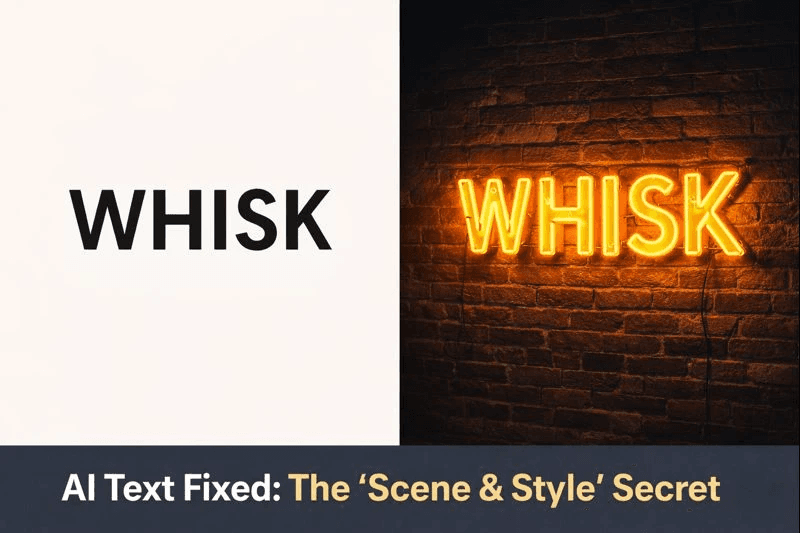
Have you ever tried to generate a logo or a quote using AI, only to get a result that looks like alien hieroglyphics? You are not alone. Most generative AI models struggle with text rendering because they treat letters as visual shapes rather than language.
However, Google Whisk AI is different. Thanks to its unique "Subject, Scene, and Style" architecture, expert users have discovered a workaround known as the "Text Extraction Hack."
In this guide, I will show you exactly how to use this hack to force Whisk AI to preserve your text perfectly while building stunning artistic designs around it—ideal for logos, YouTube thumbnails, and brand identity.
What is the "Text Extraction Hack"?
The "Text Extraction Hack" is a structural workflow designed to overcome the limitations of generative AI text rendering. Normally, Whisk AI focuses on capturing the "essence" of an image rather than copying it pixel-by-pixel. This often leads to distorted text.
This hack works by manipulating Whisk’s three-input system. By leaving the Subject slot empty and placing your text image in both the Scene and Style slots, you force the AI to treat the text as both the structural foundation and the aesthetic guide. This encourages the AI to build new visual elements around your typography, rather than trying to reinvent it.
Technical Insight
Whisk AI runs on Gemini 3 Flash and Imagen 3. When the Subject is empty, the model has no choice but to merge the Scene and Style. Since both are identical (your text), the result is a high-fidelity preservation of your text shape, while the text prompt fills in the artistic details.
Step-by-Step: How to Execute the Hack
Follow this exact "recipe" to turn boring text into professional designs.
Step 1: Prepare Your Asset
Create a clean, high-resolution image of your text or logo.
- Format: PNG or JPG.
- Background: Use a solid white or black background for the best results.
- Tip: Clean inputs allow Gemini (Whisk's underlying model) to isolate the features with higher accuracy.
Step 2: The "Empty Subject" Setup
Go to Whisk AI and configure your inputs as follows:
Leaving the Subject box empty removes the primary focal point, forcing the AI to look at the Scene and Style boxes for structure.
This tells the AI where to place the elements and defines the shape of the letters.
This reinforces the shape and ensures the AI doesn't apply a style that warps your letters.
Step 3: The Prompt
Write a text prompt to describe the artistic look you want. Since you haven't provided a "Style" image (you used the text image instead), you need to use words to define the aesthetics.
- "A neon sign glowing on a wet brick wall at night, cyberpunk colors, 8k resolution."
- "Made of colorful flowers, nature style, bright lighting."
Step 4: Generate and Refine
Hit "Generate." The AI will keep your text legible but transform its texture and surroundings based on your prompt. If the text looks slightly off, try the "Style Dominance Hack" by adding a texture image to the Subject box, though this is riskier for text clarity.
Top 3 Use Cases for This Hack
1. Logos & Brand Identity
Startups can use this to create scalable vector-style graphics. By inputting a plain text logo, you can generate variations in metal, wood, or glass textures without losing the brand name's readability.
2. Viral YouTube Thumbnails
Creating high-CTR thumbnails often requires big, bold text. Use this hack to make your video title pop with effects like "fire," "gold," or "slime" that blend perfectly with the background.
3. Print-on-Demand (POD) Typography
If you sell T-shirts or mugs, you can turn simple slogans into complex artistic designs. This workflow ensures the slogan remains readable for your customers.
Conclusion: Stop Fighting the AI, Start Guiding It
The era of "guessing" prompts is over. In 2026, successful creators use structural hacks to control the output. The Text Extraction Hack is one of the most powerful tools in your arsenal because it bridges the gap between generative art and functional design.
Ready to try it? Head over to Whisk and turn your plain text into a masterpiece today.
Read Next
Frequently Asked Questions (FAQs)
Can I use this hack for commercial logos?
Yes, you can use Whisk for commercial projects, but be aware that under current US copyright laws, AI-generated images generally cannot be copyrighted. Use these designs for ideation or as a base for final work.
My text is still looking distorted. What did I do wrong?
Ensure your input image is high contrast (black text on white background works best). Also, double-check that the Subject box is empty. If you put the text in the Subject box, the AI tries to 'reimagine' it, which causes distortion.
Is Whisk AI free to use?
As of early 2026, Whisk AI is a free experiment within Google Labs. However, heavy usage might require a Google One AI Premium plan for higher quotas.
Can I use different images for Scene and Style with this hack?
You can, but it risks text distortion. For the cleanest text, using the text image in both Scene and Style is the safest method. This is often called the 'Text Extraction Hack'.
Is this feature available in my country?
Whisk is available in over 100 countries but is still rolling out in the EU and UK due to regulations. Check our Whisk Availability Guide for updates.

About the author
Whisk AI Team
Whisk AI insights from our in-house editorial team.