The Bootstrapper’s Guide to Branding: Cut Design Costs by 100% with Google Whisk
Stop paying agencies $15k. Learn how to use image-to-image AI to build a cohesive brand identity for free.
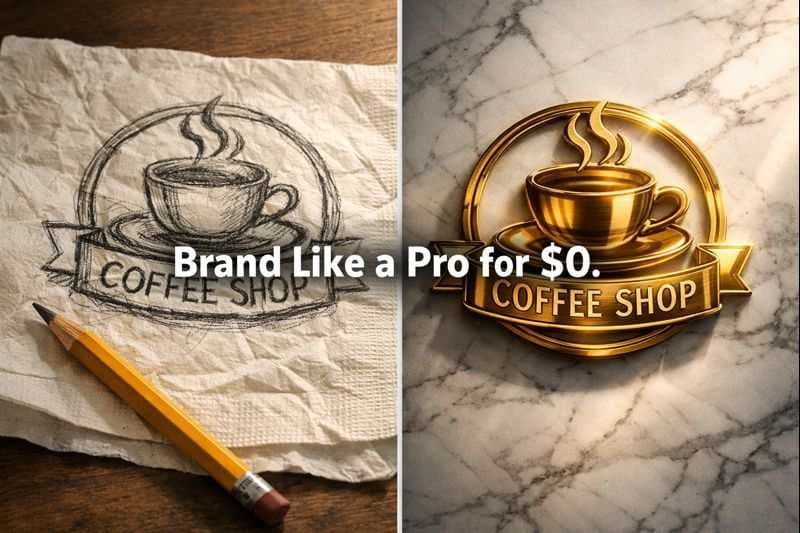
Let’s be honest: Branding is expensive. As a business owner, you know that a professional brand identity package from an agency can easily cost anywhere from $5,000 to $15,000. For a bootstrapped startup, that is a massive barrier to entry.
In the past, the alternative was "cheap" design—generic templates that looked amateurish. But in 2025, the game has changed. Google Whisk AI has democratized high-end design through its unique "Subject, Scene, Style" architecture.
Unlike traditional AI tools that require complex text prompts, Whisk uses images to guide the creative process. This means you don't need to be a prompt engineer; you just need a vision. In this guide, I will show you how to use Whisk AI to build a cohesive, professional brand identity—from logos to marketing assets—for absolutely zero cost.
Why Whisk AI is the Bootstrapper’s Secret Weapon
Most generative AI tools (like Midjourney or DALL-E) rely on text-to-image generation. While powerful, they often struggle to capture the specific "vibe" of a brand consistently.
Google Whisk is different. It is an image-to-image remixing engine powered by Gemini and Imagen 3 models. It allows you to upload reference images to control the output precisely:
- Subject: What the image is (e.g., your product).
- Scene: Where it is (e.g., a luxury studio).
- Style: How it looks (e.g., minimalist, neon, watercolor).
This "essence capture" technology allows you to maintain brand consistency across hundreds of assets without hiring a designer.
Step 1: Creating Your Logo (The "Text Extraction Hack")
The biggest pain point with AI is text. AI often turns words into gibberish. However, expert Whisk users utilize a structural workflow known as the "Text Extraction Hack" to create flawless logos.
The Workflow:
- Create a Raw Input: Type your brand name (e.g., "WHISK") in black text on a white background using any basic tool like Paint or Canva. Save it as an image.
- Configure Whisk Inputs:
- Subject: Leave this EMPTY. (Crucial Step).
- Scene: Upload your Text Image.
- Style: Upload the Same Text Image.
- The Prompt: Describe the texture and lighting you want."Made of polished rose gold, 3D render, cinematic lighting, luxury aesthetic."
Why this works: By placing the text in the Scene and Style slots but leaving the Subject empty, you force the AI to build the design around your text structure rather than inventing new shapes. The result is a professional 3D logo that looks like it cost thousands of dollars.
Step 2: Defining Your Visual Identity (The "Style Dominance" Method)
Consistency builds trust. A scattered visual style screams "amateur." To ensure all your marketing materials look like they came from the same brand, use the "Style Dominance Hack".
The Workflow:
- Choose a "Master Style" Image: Find one image that perfectly represents your brand's mood (e.g., a specific color palette, lighting style, or artistic filter).
- Apply to Every Asset:
- Upload your product or subject in the Subject box.
- Upload your Master Style image in the Style box.
- Pro Tip: For a stronger effect, put the Master Style image in the Scene box as well.
This forces the Imagen 3 model to prioritize your brand's aesthetic over everything else, ensuring that your Instagram posts, website banners, and email headers all feel cohesive.
Step 3: Zero-Cost Product Photography (Virtual Staging)
Forget renting a studio or hiring a photographer. Whisk can virtually stage your products in any environment.
For E-commerce & POD (Print on Demand)
If you are selling t-shirts or mugs, you need lifestyle shots.
- Subject: Upload your design (PNG with transparent background).
- Scene: Upload a high-quality photo of a model wearing a blank shirt or a mug on a table.
- Style: Leave empty for photorealism.
Whisk will blend your design onto the product, adjusting for lighting, wrinkles, and texture naturally. This allows you to generate hundreds of professional product photos for your Etsy or Shopify store in minutes.
Step 4: Scaling with Video (Whisk Animate)
Static images are great, but video rules social media. Whisk has integrated Veo 2, Google's state-of-the-art video generation model.
Once you have generated a perfect brand image or logo in Whisk, you can use the "Animate" feature to turn it into an 8-second video clip.
- Use Case: Turn your new 3D logo into a spinning intro for YouTube.
- Use Case: Make your product photo pan cinematically for an Instagram Reel.
This feature is currently available to Google One AI Premium subscribers, but it adds a layer of production value that usually requires expensive motion graphics software.
Conclusion: Reinvest Your Savings
By utilizing the Google Whisk ecosystem, you aren't just "saving money"—you are engaging in smart capital allocation. The $5,000 you saved on branding can now be reinvested into product development, paid ads, or customer acquisition.
In 2026, the barrier to building a professional brand isn't money; it's resourcefulness. Whisk AI gives you the tools to compete with the big players from day one.
Ready to start? Browse our Template Library to find the perfect starting point for your brand.
Read Next
- 📚Struggling with the interface? Read our What is Whisk AI? A Beginner's Overview to get started.
- 🎨Want to master the specific hacks mentioned here? Check out our detailed Whisk AI Guide: Mastering Subject, Scene & Style.
- 💸Learn how to sell your designs in our Ultimate Guide to Print-on-Demand with Whisk AI.
Frequently Asked Questions (FAQs)
Can I use Whisk AI generated logos for my business trademark?
Currently, the US Copyright Office has stated that AI-generated images without significant human input cannot be copyrighted. While you can use them for business, you may not be able to legally trademark the raw AI output. We recommend using these designs for bootstrapping and refining them with a human designer later for trademarking.
Is Google Whisk really free?
Yes, as of early 2026, Whisk is an experimental tool in Google Labs and is free to use in supported countries (like the US). However, advanced features like high-speed video generation may require a Google One AI Premium subscription.
How do I access Whisk if I am outside the US?
Whisk is currently available in over 100 countries but faces restrictions in the EU and UK due to regulations. Users in these regions often use VPNs as a workaround, though we recommend checking the official Whisk Country Availability List.
My logo text keeps looking distorted. What should I do?
Ensure you are using the 'Text Extraction Hack'. Leave the Subject box empty and place your text image in both the Scene and Style boxes. This forces the AI to respect the geometry of your text.
Can I edit the images after generating them?
Whisk allows you to 'remix' images by changing the inputs. For pixel-perfect editing (like removing a background), you might need to use external tools or Google's Nano Banana editor within the Gemini app.

About the author
Whisk AI Expert
Whisk AI insights from our in-house editorial team.